Use soft, even light
Strong shadows can turn into heavy lines. Even light keeps faces, fur, bodywork, and product details easier to read.
The source photo has the biggest effect on the final artwork. Good light, clear edges, and a recognisable subject give the converter better information to simplify.
Reviewed by LineArtReady · Last reviewed 2026-06-10
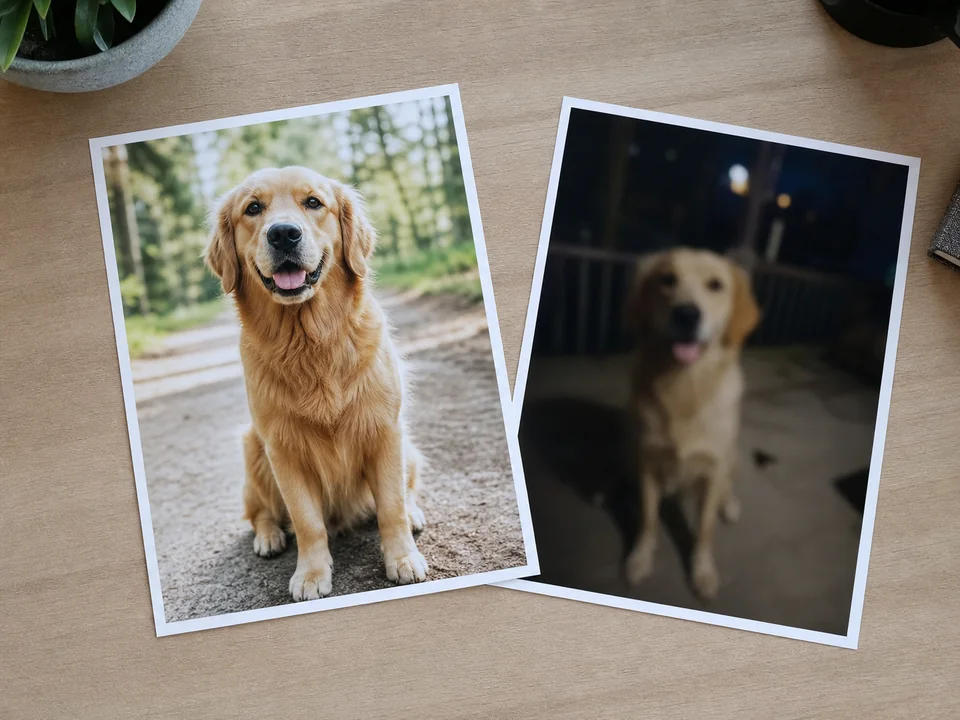
Strong shadows can turn into heavy lines. Even light keeps faces, fur, bodywork, and product details easier to read.
Leave a little space around the subject, but avoid photos where the subject is far away. Important outlines should not touch the edge of the image.
A busy background is harder to simplify. Photos where the subject contrasts with the background usually produce cleaner results.
Yes. Recent phone photos usually work well when they are sharp, well lit, and not heavily zoomed.
A loose crop can help, but do not cut into the subject. Keep the full face, pet, vehicle, or product visible.
Blur, strong shadows, tiny subjects, and backgrounds touching the subject are the most common causes of weak results.
Upload a photo, adjust the engraving filters, generate line art, and download a PNG.
Open LineArtReady