Preserve the vehicle identity
Front three-quarter and clean side views usually keep the model recognisable without overwhelming the engraving.
Vehicle engraving works best when the silhouette, lights, grille, wheels, and distinctive body lines are clear.
Reviewed by LineArtReady · Last reviewed 2026-06-08
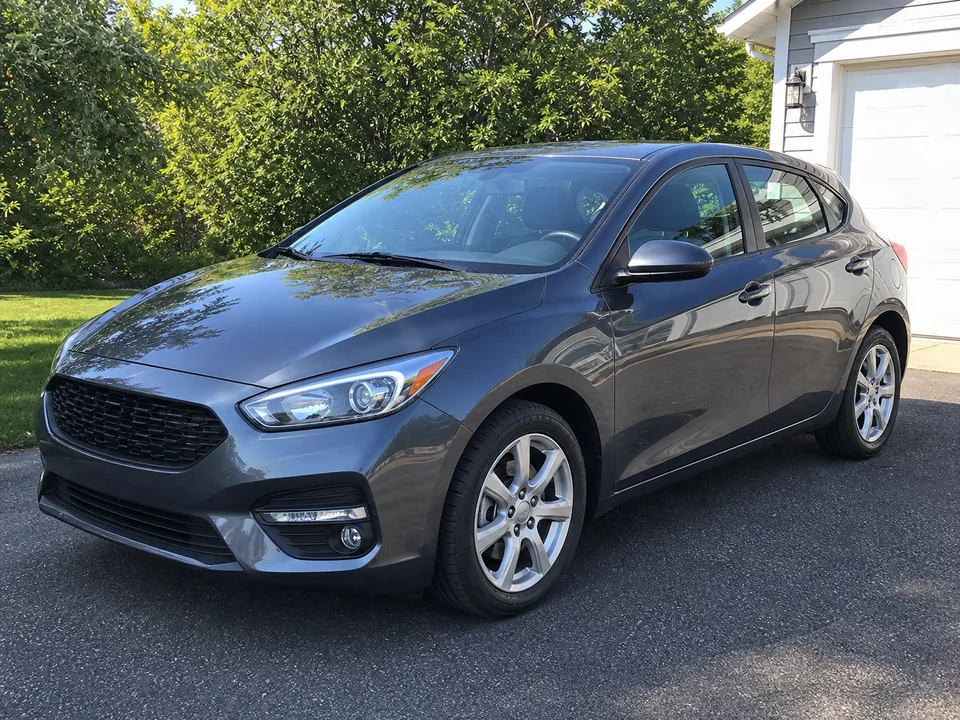

Front three-quarter and clean side views usually keep the model recognisable without overwhelming the engraving.
Reflections on bodywork can create confusing lines. A clearer angle or softer light usually improves the final artwork.
Fine lines can show detail on larger plaques, while standard or bold lines are safer for smaller keepsakes.
Yes. New car gift photos are a strong use case when the vehicle is clearly framed.
Yes, but bikes can have dense mechanical parts, so try a lighter line weight if the output looks busy.
Only if the customer wants them included. Otherwise choose an angle where the plate is not important.
Upload a photo, adjust the engraving filters, generate line art, and download a PNG.
Open LineArtReady