Keep the pet recognisable
Choose photos where the pet's face and key markings are visible. These features matter more than every strand of fur.
Pet engravings need to keep the animal recognisable. The best results preserve eye shape, ears, markings, and the overall pose.
Reviewed by LineArtReady · Last reviewed 2026-06-07
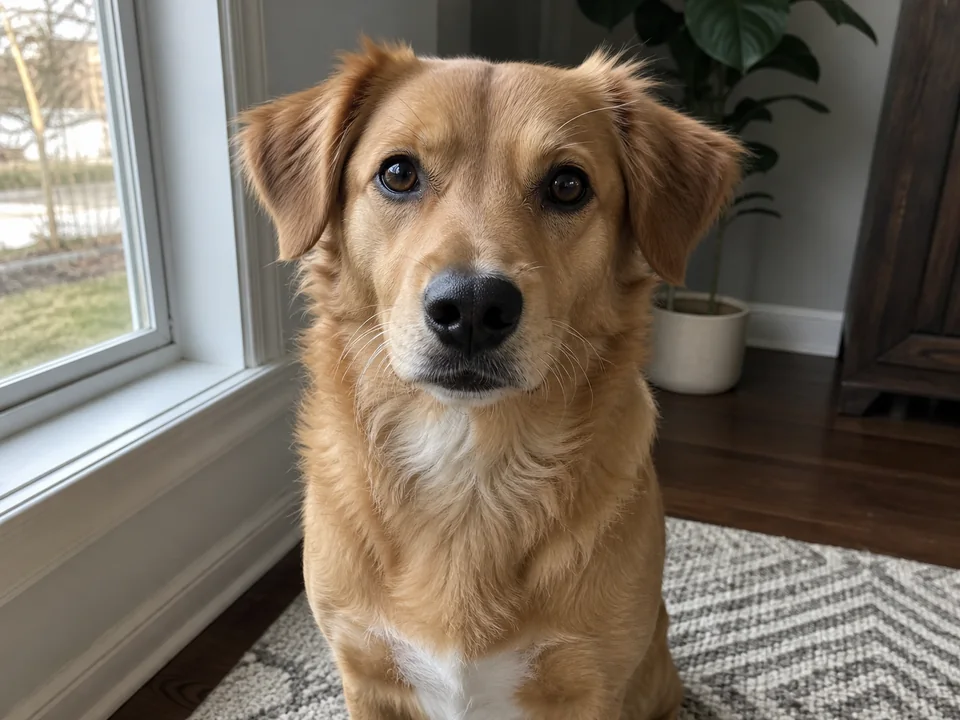

Choose photos where the pet's face and key markings are visible. These features matter more than every strand of fur.
Very fluffy coats can become noisy. Lighter line weight can create a cleaner engraving file for small products.
Sofas, blankets, carpets, gardens, and floors often add unwanted lines. Background removal is usually helpful for pet photos.
Yes, but use a well-lit photo with contrast between the pet and background.
Usually yes, especially for pets photographed indoors or in gardens.
Memorial plaques, tags, coasters, ornaments, keyrings, and keepsake gifts are common uses.
Upload a photo, adjust the engraving filters, generate line art, and download a PNG.
Open LineArtReady